
Citytouch Digital Banking Revamp
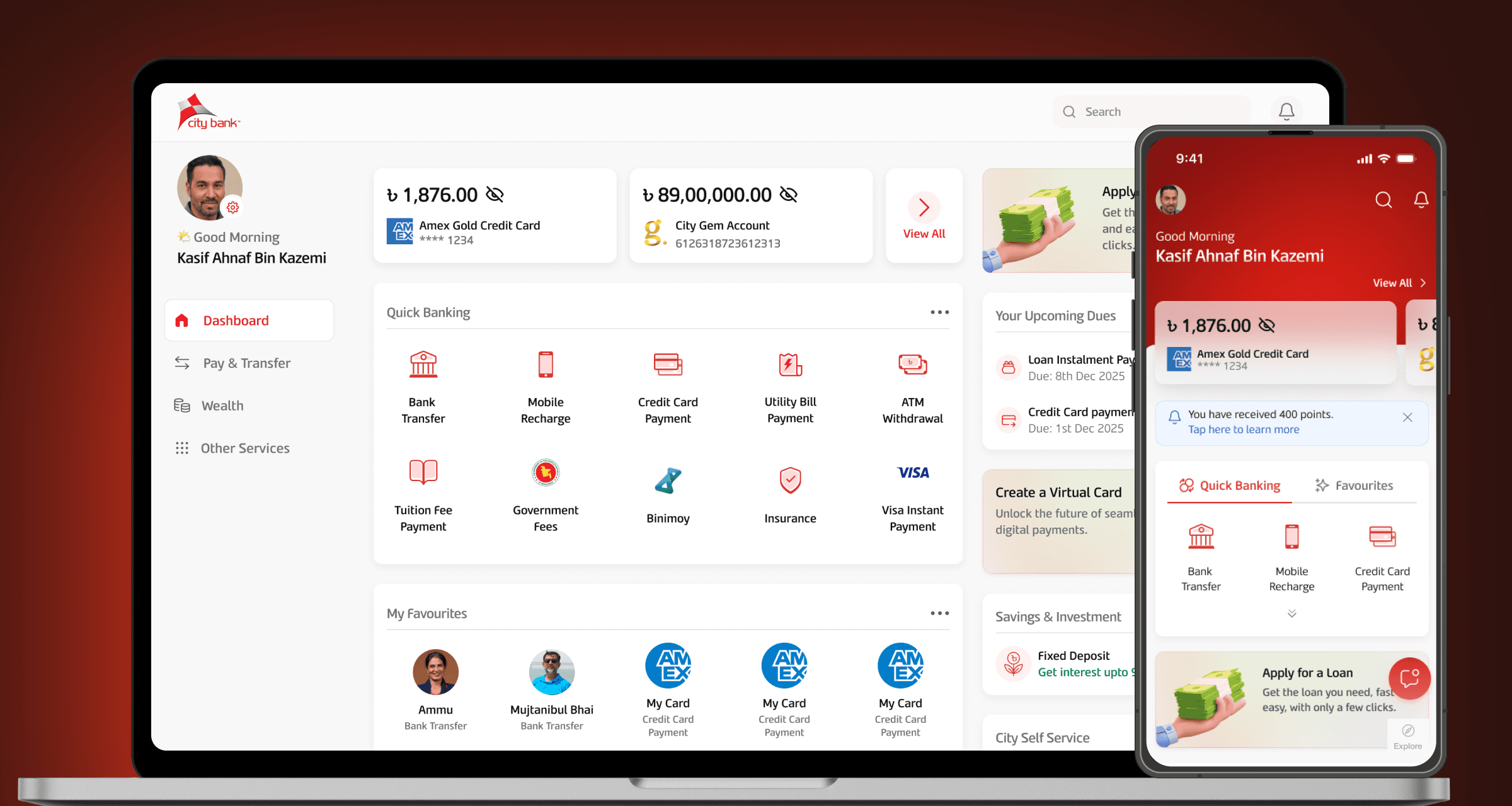
2023 - 2024
Fintech & Banking
Role
Product Design Lead
Challenge
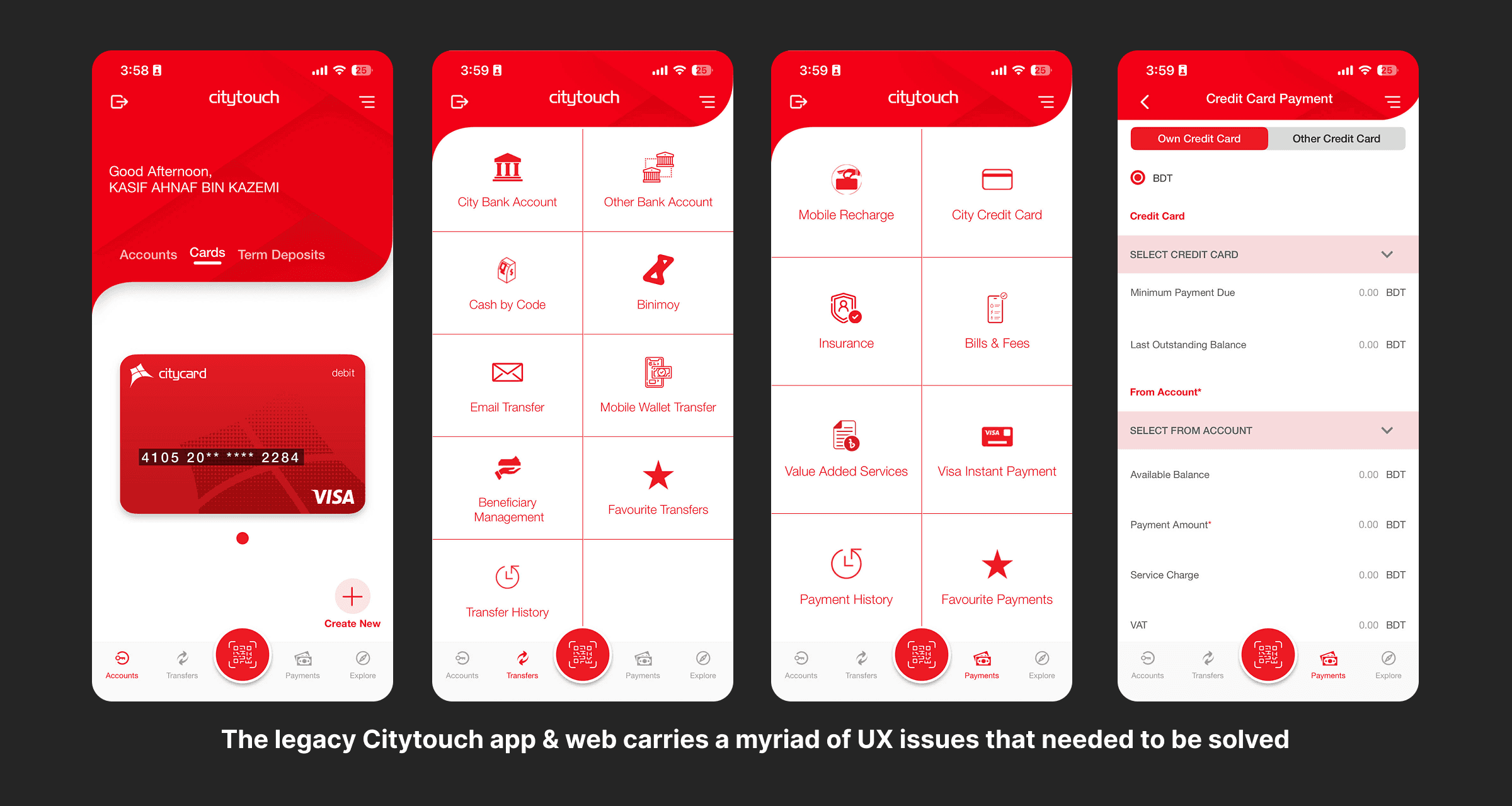
Despite its robust feature set, the legacy Citytouch app faced several user experience hurdles:
Complex Navigation: Core features like inter-bank transfers and bill payments were buried under multiple layers.
Visual Clutter: A dated aesthetic with inconsistent iconography made the interface feel overwhelming.
Friction in Security: Users reported frustration with login flows and session management (e.g., issues with accessibility menus and auto-logout behavior).
Scaling Features: New services like Insurance and Virtual Cards needed a more scalable UI framework to prevent further clutter.
User Research & Insights
Through competitive auditing of local and international banking apps, several key insights were identified:
The "Dashboard" Priority: Users primarily open the app to check balances or perform a quick transfer. These should be immediate "one-tap" actions.
Trust through Transparency: Real-time transaction history and clear fee structures for transactions reduce user anxiety.
Demography considerations: Older generations prioritise security and structure while younger users prefer speed of transaction above all else.
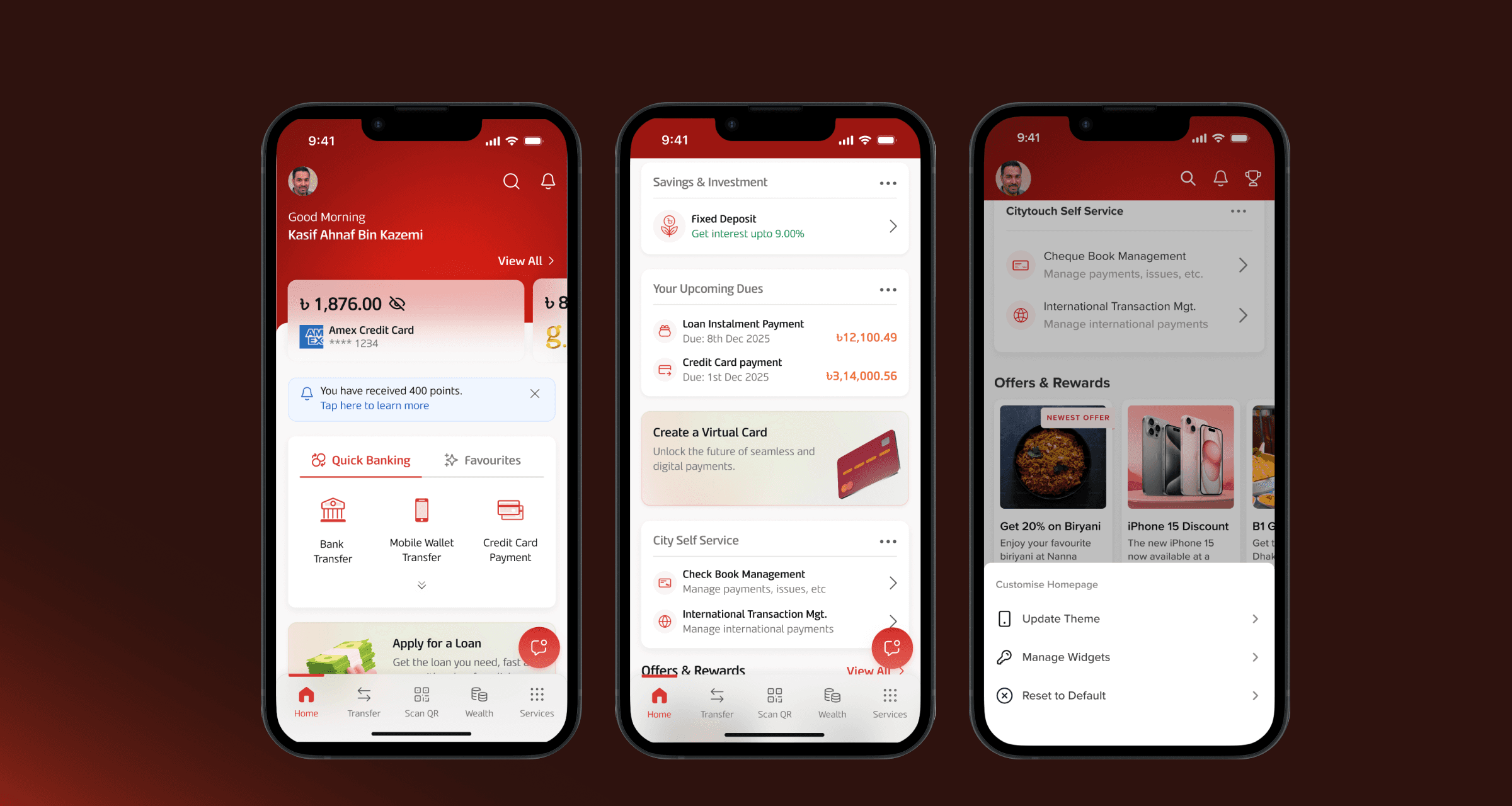
The New Dashboard
Quick Actions: Top-bar for one-tap Transfer, Bill Pay, Top-up, and QR Pay.
Account Summaries: Swipe-able, high-contrast cards for instant balance checks.
Personalized Widgets: A modular grid for Spending Trackers, Favorite Recipients, Reminders and others based on user preference.
CMS Banners: Dynamic real estate for Targeted Offers, System Alerts, and Feature Discovery.
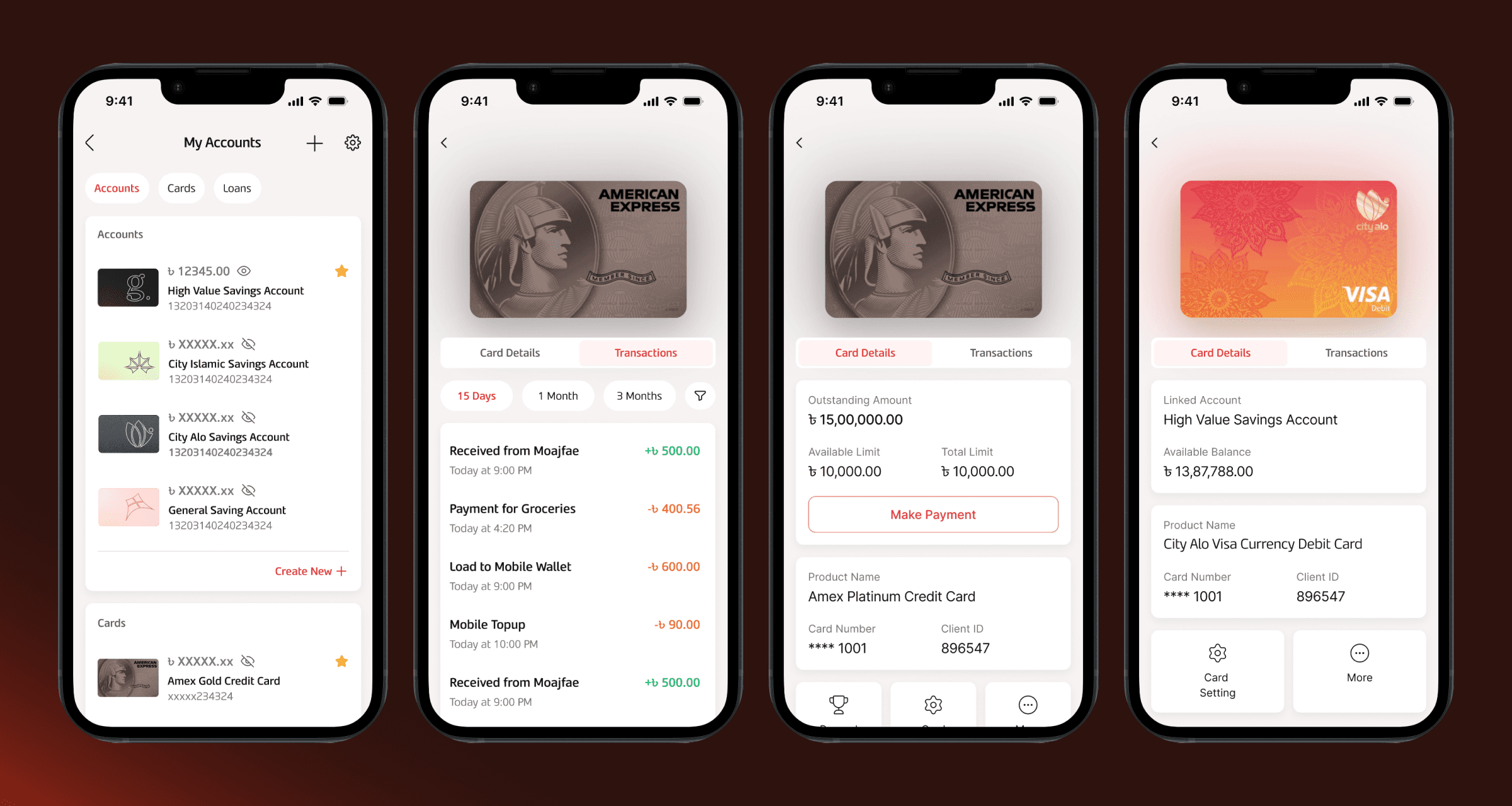
Account & Card Management 2.0
Quick View: An intuitive page to view and manage virtual all cards and accounts.
Card Details: Single pages to easily view and manage cards.
Security Controls: Easy access to "Block Card" or "Change PIN" without navigating deep into settings.
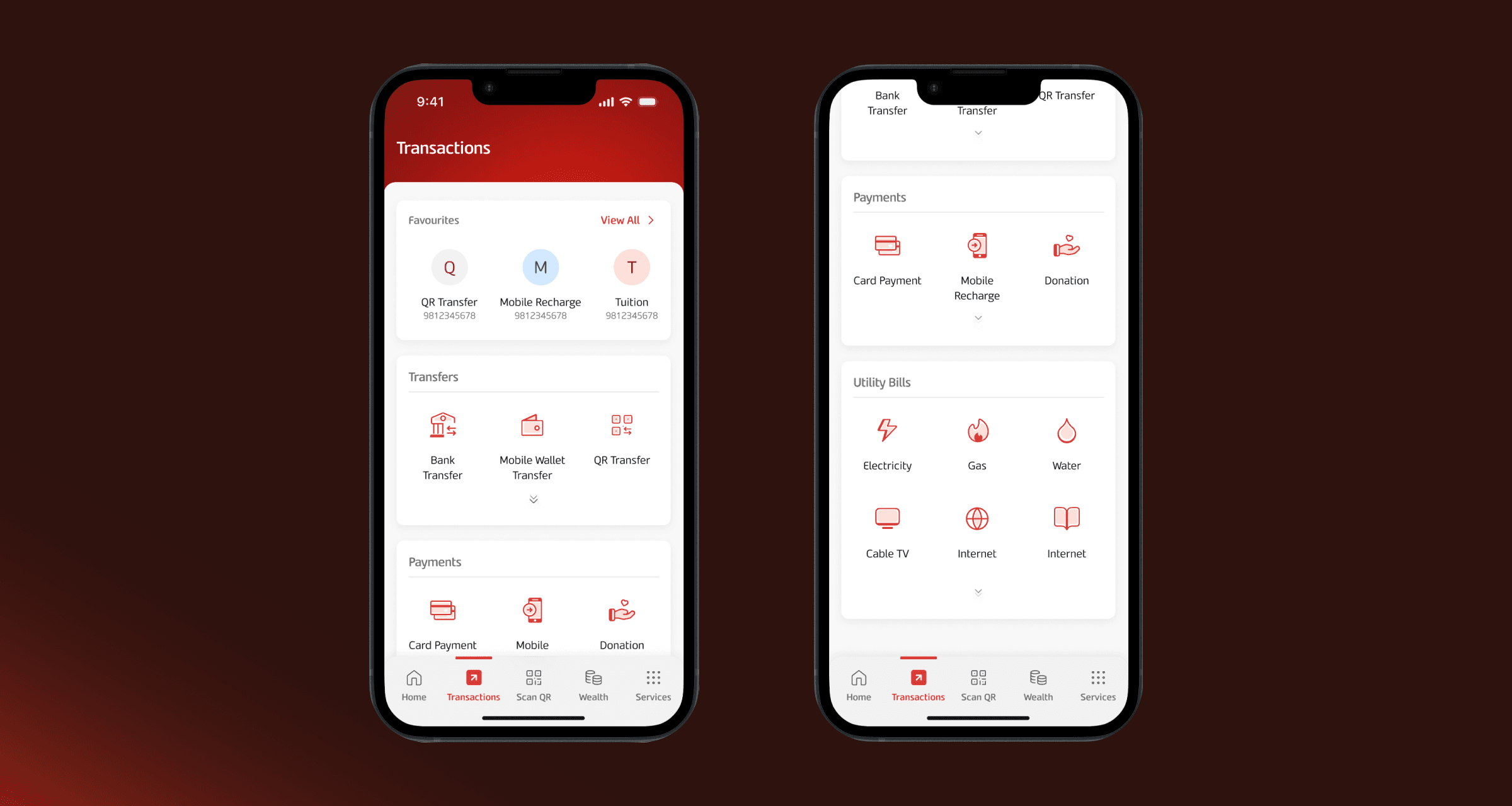
Consolidated Transactions Page
Single View: A single page where users can quickly initiate transactions.
Favorities: Quick access to all the saved and frequent transactions.
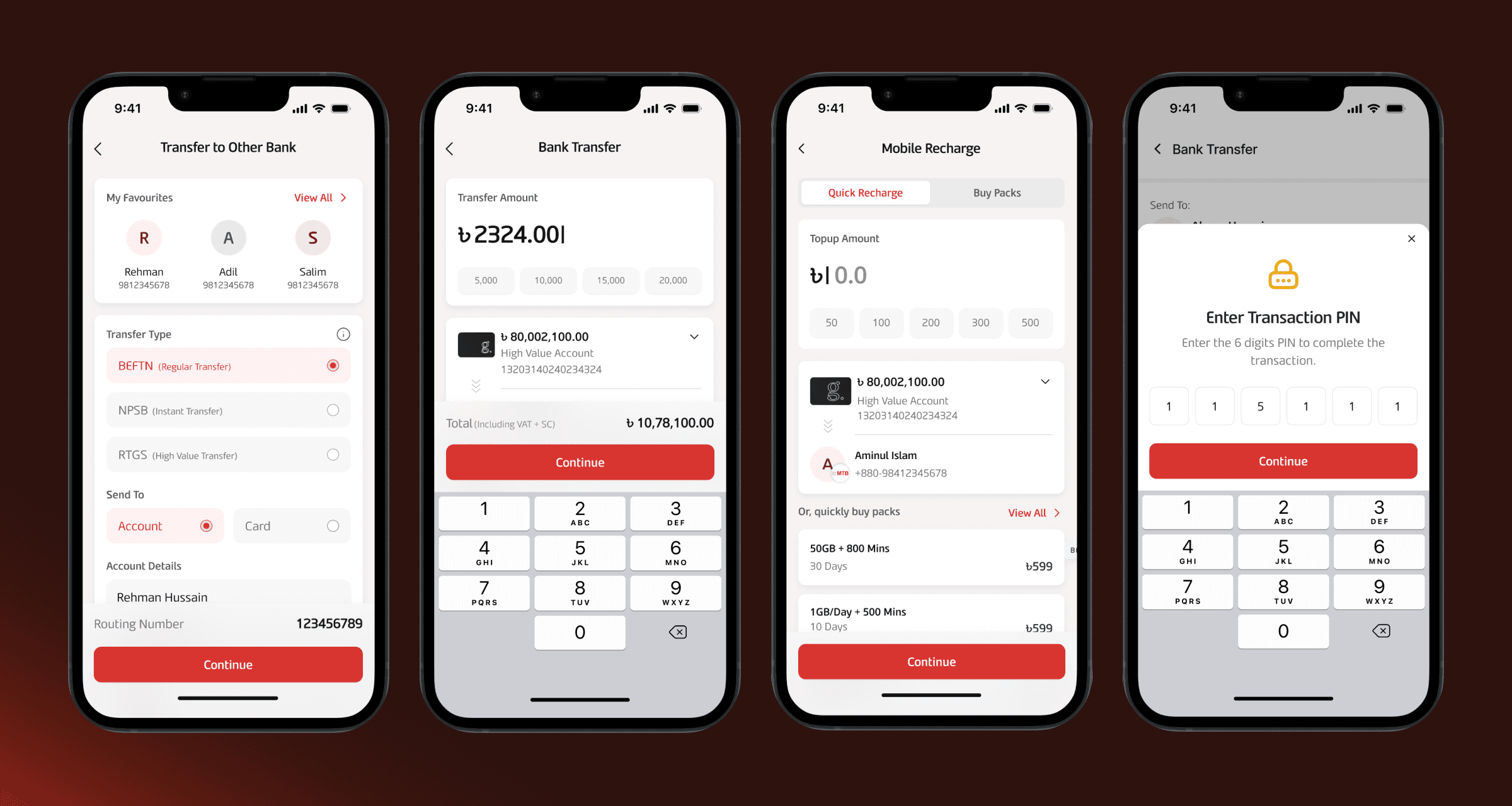
Optimized Transaction Journeys
Consistency: Transactions across different categories all follow the same basic patterns - ensuring that users never feel out of sync.
Clarity: Transcation fees and total payables displayed clearly at all stages to avoid hidden fee complaints.
Security: Unique transaction PINs to add an extra layer of security.
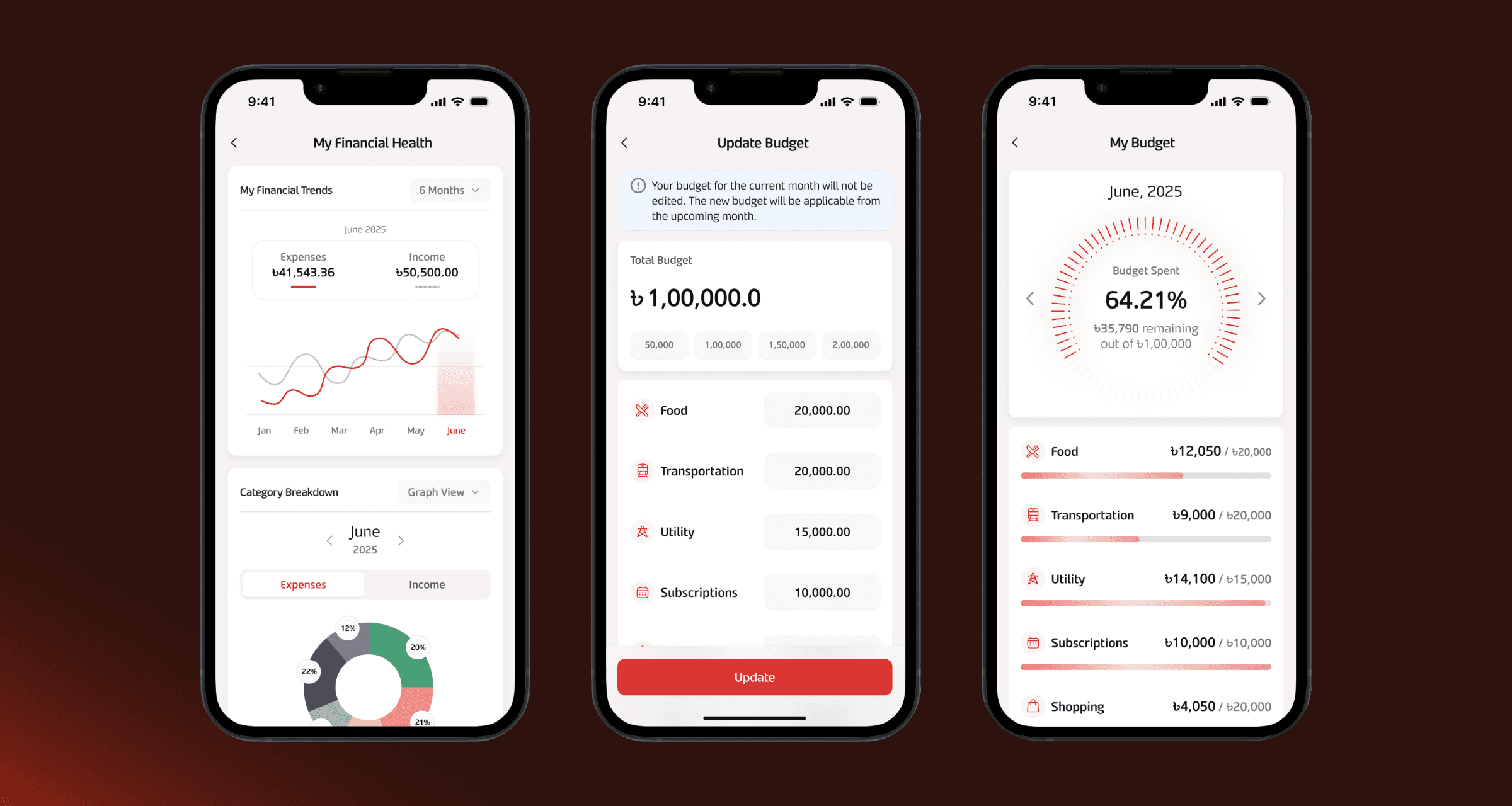
Personal Finance Management
Financial Trends: Quick overview of spending patterns over timelines.
Budgeting: Setting monthly limits and receiving notice when limits are about to be crossed.
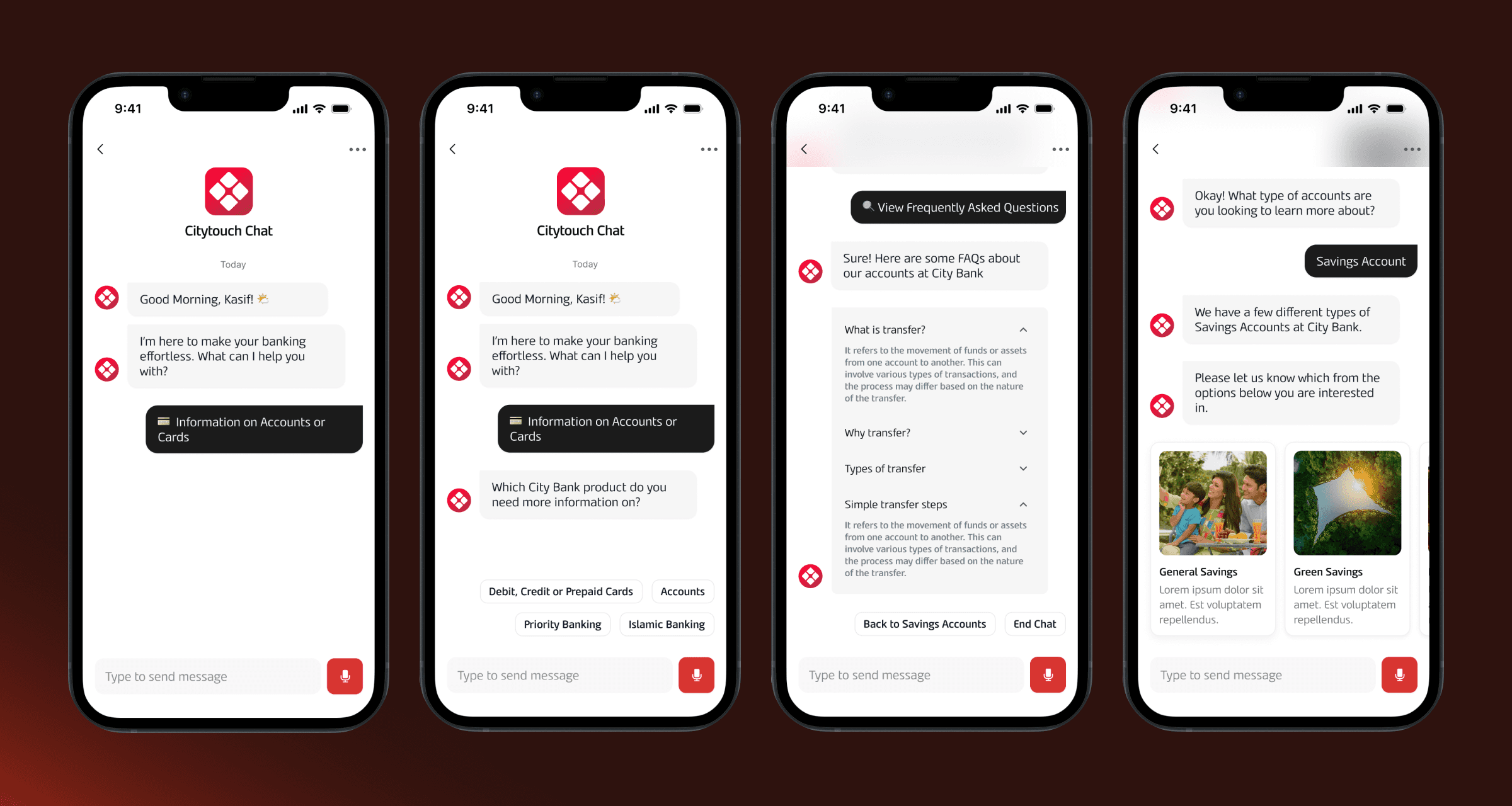
Fully Featured Chatbot
Localized: Speaking to customers in the language they are most comfortable with.
Smart Suggestions: Highlighting the most appropriate keywords at each stage of the conversation to resolve user needs faster.
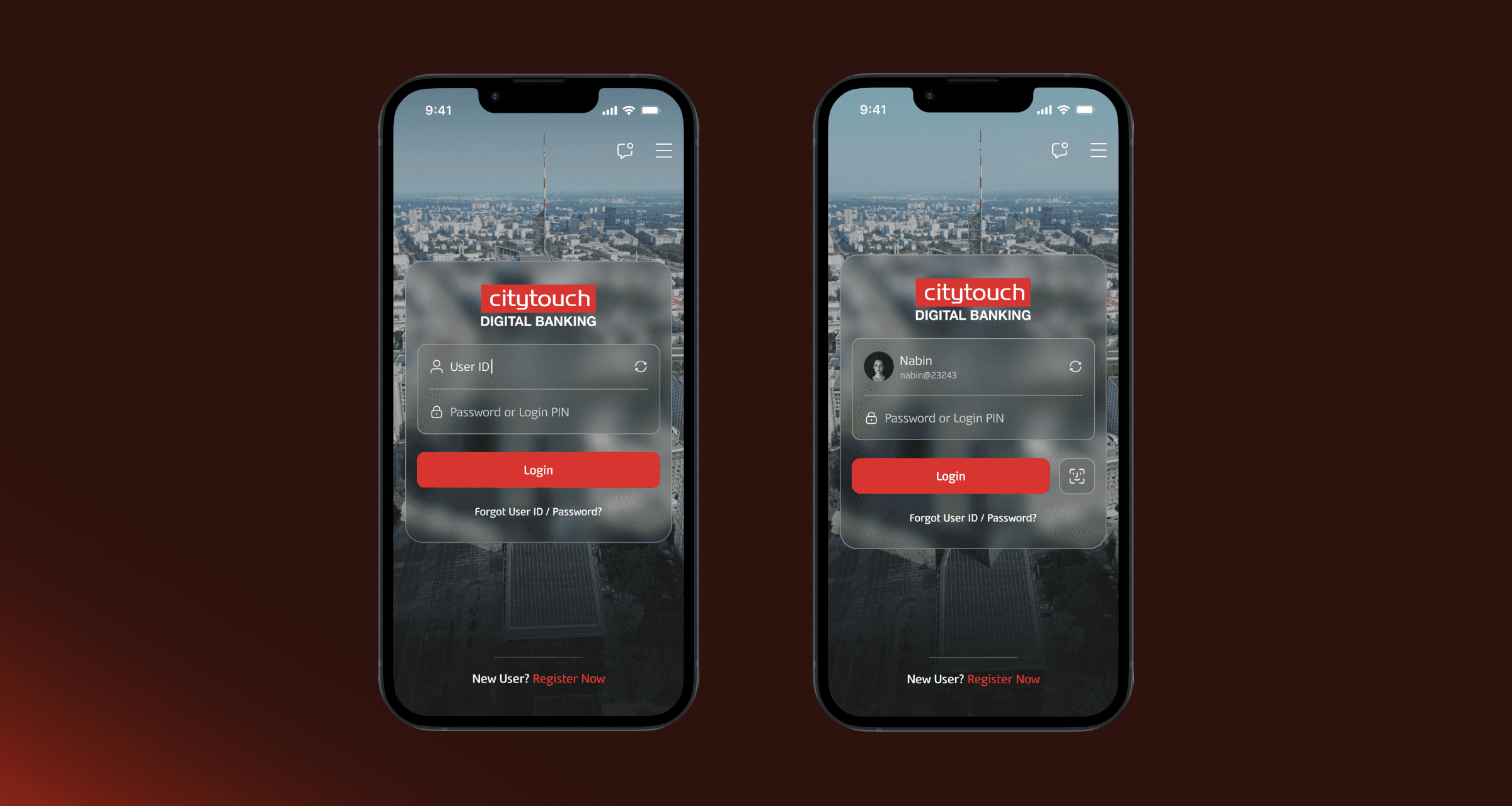
Seamless Login
Brand Specific UI: Created with the premium look and feel carried by City Bank at all customer touchpoints.
Saved Logins: Once logged in already, users can set up quick login with Face ID / other biometric systems.
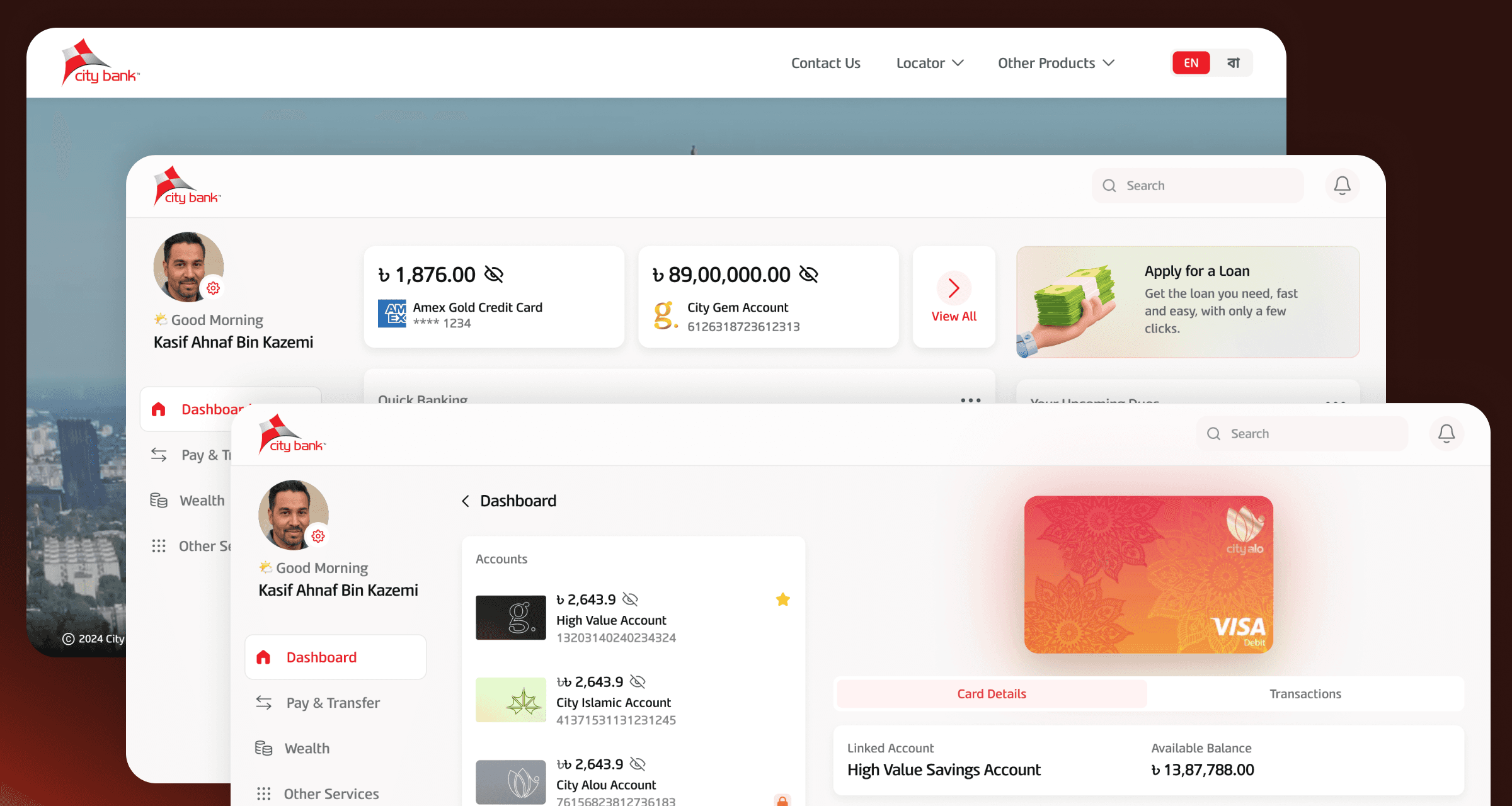
Optimized Web Platform
Responsive: Functions perfectly on all devices, large or small.
Fully Featured: Designed for keeping power users in mind, Citytouch web optimizes workflows for speed and accuracy.
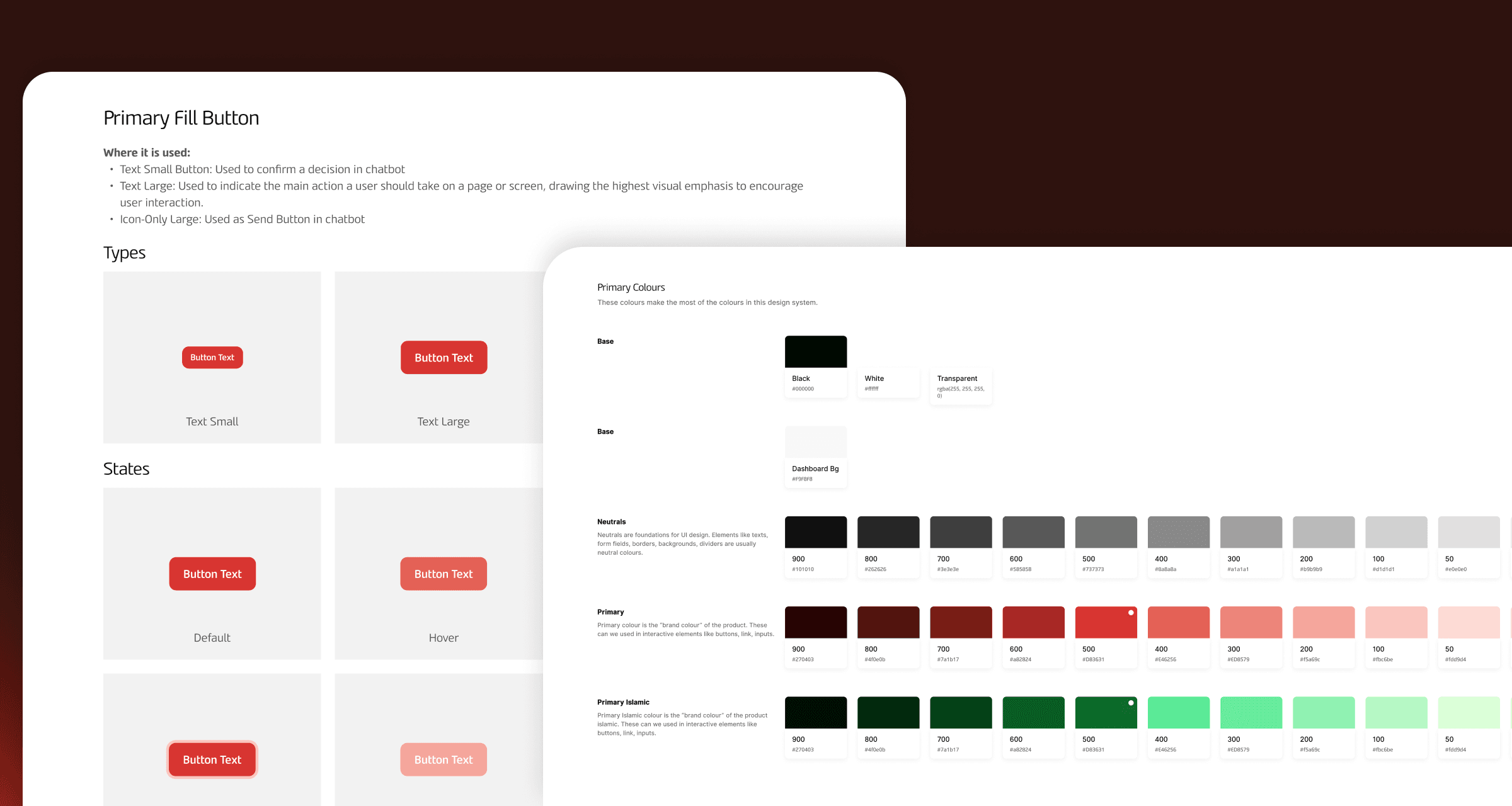
Scalable Design System
Brand Centric: Carries the brand of City Bank while embracing the digital future.
Optimized for Devs: Speeds up development time through responsive and predictable component designs.